
An empty second home can develop a problem long before your next visit. A leak, a sudden temperature change, or a power interruption may go unnoticed unless someone checks the property or a connected device sends an alert. Remote monitoring helps you see selected conditions from a distance, but it is not a substitute for a response plan. The right setup depends on the property, its internet and power reliability, and who can act when you are away. Use this guide to choose useful monitoring tools, compare provider approaches, and prepare for the alerts that matter most.
What remote monitoring includes and how it works
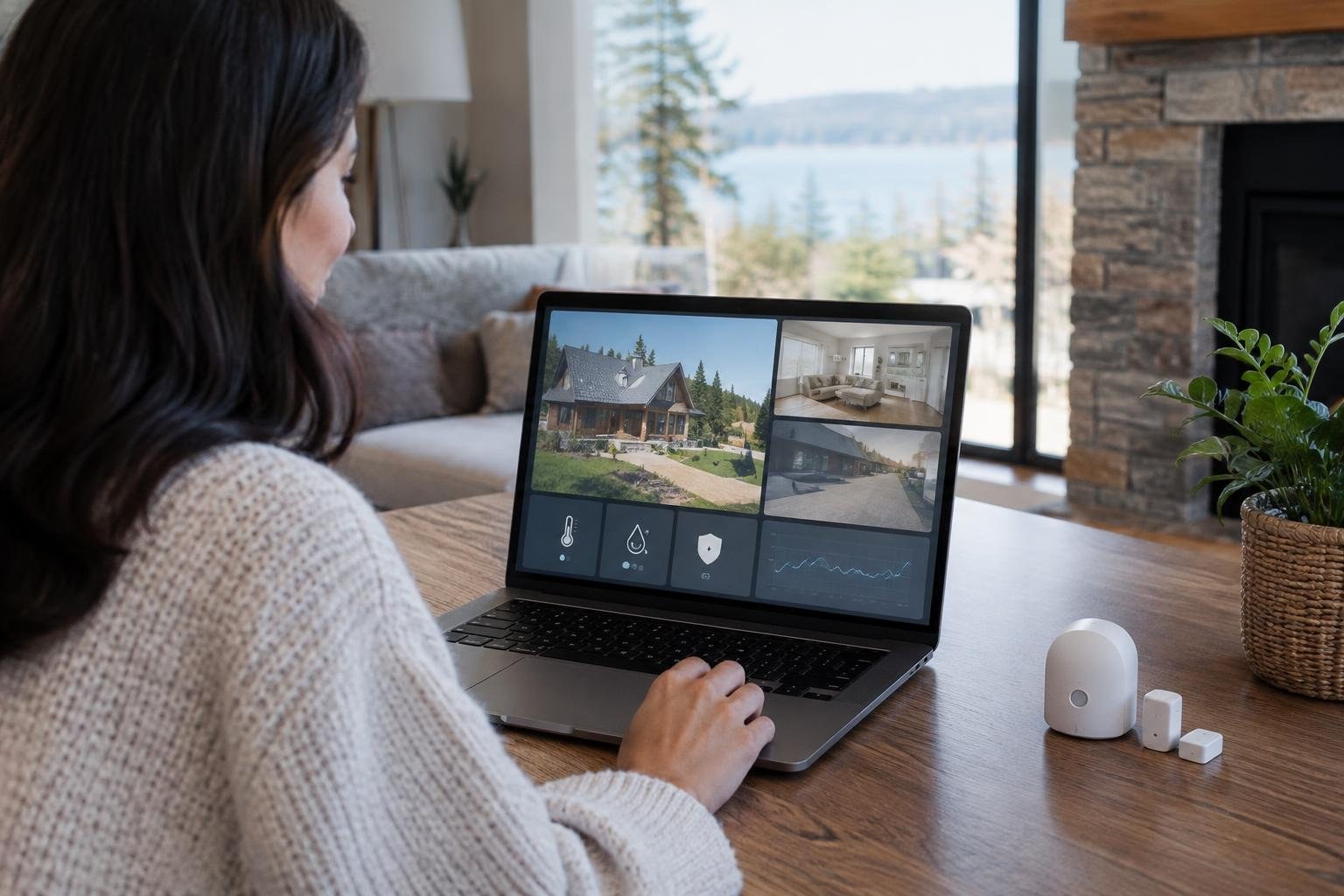
Remote monitoring is a way to check selected conditions at a property and receive alerts when they change. A system may combine sensors, connected controls, and cameras with an app or other notification method. Depending on the devices, you might be able to review temperature, see a camera view, or receive notice of a leak or opened door.
Think of monitoring as an early-warning and information layer, not a guarantee that damage or loss will be prevented. Sensors can notify you, but a person may still need to inspect the property or arrange a repair. Property managers can also use sensor information to understand a home’s status between visits.
Before buying equipment, write down the conditions you need to know about and the action you would take for each alert. That keeps the system focused on useful information instead of a long list of features you may never use.
Signs your second home may need monitoring
Remote monitoring may be useful when you cannot visit often, when the home is vacant for a long stretch, or when a problem could worsen before anyone notices. Temperature deserves attention because a power failure or HVAC problem can cause indoor conditions to change quickly. A leak or loss of connectivity may also be hard to spot from a distance without an alert or a local check.
Consider the building and how it is used. A property with large ground-floor windows or sliding doors may call for a different entry-alert plan than a home where the main concern is water or temperature. If you have had trouble keeping track of property conditions between visits, monitoring can provide another way to check status.
It is not necessary to automate every part of the home. Start with a clear concern, such as learning about a leak before your next visit, then add other functions only if they solve a real problem.
Cost considerations when comparing systems
There is no one-size-fits-all price for remote monitoring. A homeowner may pay for devices, installation, a monitoring or connectivity service, and continuing support. Ask whether a proposal is a one-time equipment purchase, an ongoing service, or a combination. Compare what is included rather than judging by the first quoted amount.
Request an itemized estimate that identifies:
- Each sensor, camera, or control device and its intended role
- Installation and setup work
- Any recurring connectivity, monitoring, or support charges
- How alerts are delivered and which people receive them
- What happens if a device, power source, or internet connection fails
Also ask whether the app or service provides historical readings and whether those records can be reviewed or downloaded. Historical information may help you understand when a condition changed, but confirm what the particular system offers before including it in your comparison.
Factors that affect your monitoring project
The project is shaped by more than the number of devices. The property’s internet connection, the locations that need coverage, the controls already in place, and whether you want a professional to install or configure the system can all affect what is practical.
Connectivity is especially important. Remote alerts, live video, and connected door controls depend on a usable connection. Ask the installer to check the signal where each device will operate, not only near the router. Discuss how the system behaves when the internet is unavailable and whether it can notify you of a connection or power interruption.
Be clear about the people who will use the system. A homeowner, property manager, and local contact may need different access or notifications. Agree on who receives each alert and who is expected to act, so an important message does not reach only someone who cannot visit.
Monitoring options and their tradeoffs
Different devices answer different questions. Cameras can provide video from their field of view. Door or glass-break sensors can notify you about specific entry events. Water, temperature, or humidity sensors focus on conditions that a camera may not reveal. Smoke and carbon monoxide alerting addresses a different type of concern again.
| Option | Useful for | Consider |
|---|---|---|
| Environmental sensors | Learning about leaks or changing temperature and humidity | Place them where they can detect the condition you care about |
| Door or glass-break sensors | Alerts about selected entry points or broken glass | Choose coverage around the home’s doors and windows |
| Cameras | Viewing activity in a camera’s field of view | They do not replace sensors for hidden environmental conditions |
| Connected thermostat | Checking or changing compatible temperature settings remotely | Remote access depends on connectivity and compatible equipment |
A combined setup can offer more kinds of information, but complexity is not automatically better. Match each device to a risk and decide what you will do when it sends an alert.
What to expect: setup, testing, and timing
Plan time for more than mounting a sensor. The process typically involves identifying risks, checking connectivity, selecting devices, installing or placing them, configuring notifications, and testing the whole path from an event to the person who receives the alert.
- List the conditions you want to monitor and who will respond.
- Confirm the network reaches the planned device locations.
- Install and configure the selected equipment.
- Test alerts, app access, and any remote controls.
- Review the alert list and response contacts before leaving.
Do not assume that a notification is working because an app shows a device online. Test the actual alert and confirm that the intended person receives it. If you use remote thermostat controls, verify that settings can be reviewed or changed while you are away and connected.
Timing depends on the equipment, the property, and whether professional setup is involved. Ask a provider for a project schedule and what access they need rather than relying on a generic installation estimate.
How to choose a qualified monitoring provider
A qualified provider should be able to explain what each recommended device does, what it cannot do, and how the system handles alerts. Look for clear answers about connectivity, installation, app access, support, and any recurring service. If a provider recommends several products, ask which specific risk each one addresses.
Ask these questions before you agree to work:
- Will you check the network at each planned device location?
- Which notifications will be configured, and who can receive them?
- What should I expect during a power or internet interruption?
- Does the proposal include installation, setup, and testing?
- What ongoing fees, support, and warranty terms apply?
- Who should I contact if an alert arrives or a device stops reporting?
Ask for the scope and costs in writing. A professional smart-home provider may help connect property systems, but verify exactly what the provider is offering and whether you will need a separate person for in-person property checks.
Safety, credentials, warranties, and local requirements
Monitoring can involve electrical equipment, connected controls, cameras, and devices that affect how you manage a property. Before work begins, ask which tasks the provider will perform and whether any part of the job should be handled by a separate qualified trade. Confirm that installation follows the equipment maker’s instructions and that you understand how to use the system safely.
Ask for written warranty details for both equipment and installation, if applicable. Confirm what is covered, how long coverage lasts, and whom to contact if a sensor stops working. Also ask how the provider handles account access, passwords, and the removal of access for a former worker or contact.
Requirements can vary by location and by the type of work. Check applicable local requirements before approving work that involves building systems or electrical changes. Do not assume that buying a monitoring device includes permits, inspections, or a warranty unless those items are expressly confirmed.
How to save safely without leaving gaps
Control costs by defining the minimum useful setup before requesting estimates. Prioritize alerts that would change what you do, such as learning about a leak or a major temperature change. Ask whether a device you already own can provide the needed information, and compare the total ongoing cost of each proposed system.
Simple ways to keep the project focused include:
- Request a basic option and an expanded option, with differences explained.
- Ask for itemized equipment, labor, and recurring charges.
- Choose overlapping features only when they serve distinct needs.
- Confirm compatibility before buying devices separately.
- Ask what installation and testing are included in the quoted work.
Do not save money by skipping a connection check or leaving the system untested. A lower upfront quote is not useful if alerts do not reach you or the equipment does not work together. Compare the complete arrangement, including how someone can respond to a problem.
Common mistakes, red flags, and a final checklist
A monitoring setup is only as useful as its alert path and response plan. Common mistakes include relying on a camera to reveal every type of problem, overlooking network availability, installing a sensor without checking what it covers, and assuming an alert will resolve an issue on its own.
Use this checklist before you leave:
- Are the most important property conditions covered by appropriate devices?
- Can the network reach the devices where they are installed?
- Have you tested each alert and confirmed who receives it?
- Do you know what the system reports during a power or internet outage?
- Is a local contact available to check the home if remote action is not enough?
- Do you know the equipment support and warranty contact?
Be cautious if a proposal promises complete protection without explaining limitations, or if the provider cannot state what happens when connectivity fails. Ask for clear answers and test the actual setup before depending on it.
Build a response plan for alerts
Decide how an alert becomes action. A temperature or water notification may call for a local inspection, while a connected thermostat may allow you to review or adjust settings remotely if the system and connection support it. Some problems cannot be resolved through an app, so identify a reachable contact who can visit or coordinate the next step.
Write down the alert types, the person who receives each one, and the response expected. Share only the access needed by each person and review access when responsibilities change. If you use a property manager, discuss whether sensor information can support their checks and what they will do when a reading appears concerning.
Remote status information can help you make a decision, but it should not create a false sense that someone is physically watching the home. Keep a realistic plan for on-site help.
Frequently asked questions
How do I monitor a second home remotely?
Start with the risks that could cause damage or require a quick response: leaks, temperature changes, smoke or carbon monoxide, entry, and loss of power or internet. Choose sensors and alerts for the risks that matter at your property, confirm that the system can reach you, and arrange a local person who can check the home if an alert needs attention.
Does remote home monitoring require internet?
A stable internet connection supports remote alerts, video, and connected controls. Check the connection in the areas where devices will be installed, and ask what happens if the internet or power goes out. If a system depends on connectivity, loss of that connection may limit what you can see or control remotely.
What sensors should I use in a vacation home?
A useful starting set can include water-leak, temperature and humidity, smoke or carbon monoxide, and door sensors. Depending on the property, you might also consider exterior cameras and a way to detect loss of power or internet. Select devices based on likely risks rather than adding every available feature.
Are cameras enough to monitor an empty house?
Cameras show what a camera can see, while sensors can alert you to conditions such as a leak, temperature change, or opened door. They serve different purposes, so consider them complementary rather than interchangeable. Also plan how to respond if a sensor reports a problem.
How much does it cost to monitor a second home remotely?
There is no single price that applies to every property. Compare the equipment, installation, connectivity needs, monitoring or service fees, and any ongoing costs included in each proposal. Ask for a written breakdown and confirm which features and response services are included before comparing totals.
Can I control my second-home thermostat from my phone?
Some connected thermostats let an owner check or change settings remotely when connectivity is available. Confirm that your specific equipment works with the controls you plan to use, and test remote access before relying on it while away.
What should I ask a home monitoring installer?
Ask about the provider’s experience with remote monitoring, what the installation includes, how alerts are delivered, and what happens when a device or connection fails. Request a clear explanation of ongoing fees, support, warranties, and any work that may require another qualified trade. Test the setup before leaving the property unattended.
Can remote monitoring replace someone checking on my home?
A monitoring system can send information and alerts, but it does not itself inspect or repair a property. Decide who will be available locally to check an alert, contact a service professional, or take other action when remote controls are not enough.
People Also Ask
How can I test remote monitoring alerts before leaving?
Test each alert and confirm that the intended person receives it. Check app access and any remote controls while you are still at the property, and verify that the network reaches the devices where they are installed.
Can I monitor and adjust my second-home temperature remotely?
A connected thermostat may let you check or change settings remotely if the thermostat, app, and home connection support that access. Test the controls while you are still at the property and consider what you will do if the connection is unavailable.
Do I need sensors if I already have security cameras?
Cameras provide video, while dedicated sensors can report conditions such as a door opening or water being detected. One does not automatically replace the other. Choose tools around the specific information you need and the response you can provide.
What happens to remote monitoring if the power or internet goes out?
Include internet and power status in your planning. A system that relies on a network may not deliver alerts or remote access when that connection is unavailable. Ask the provider what the system reports during an outage and verify the behavior during setup.
How can I make remote home alerts useful?
Set alerts that are meaningful and make sure someone can respond. Review whether notifications reach the right people, whether remote controls work, and what steps to take if a device reports a problem. A property contact may be needed for issues that cannot be handled through an app.
Should I hire an installer or a property manager?
A provider can help plan or install connected devices, while a property manager may offer an in-person check or help coordinate a response. Compare the exact services each offers rather than assuming installation includes ongoing property visits or emergency response.
Remote monitoring works best when it answers a practical question: what could go wrong while the home is empty, and who can respond if an alert arrives? Start with essential risks such as water, temperature, smoke or carbon monoxide, entry, power, and internet. Then test the system and decide who will check the property when remote action is not enough. A dependable plan combines useful alerts with a reachable local contact. When you are ready to compare hands-on support, explore home management options and providers at HouseManagers.com.
Your next step
Explore home management options and providers at HouseManagers.com.
Last reviewed and updated November 2, 2026 by the Housemanagers.com Editorial Team.
Sources
- Residential – Sensaphone
- Monitor Your Second Home or Rental with Automation
- How to Monitor Home Remotely the Right Way – Fluent Home
- Vacation Home Remote Monitoring: Cameras, Sensors, and Alerts
- Protect Second Homes with a Complete Remote Monitoring …
- remote monitoring of home recommendations – Bogleheads.org
- r/homeassistant on Reddit: Home assistant to monitor a house remotely? What would you monitor
- 🏡 Monitor Your Second Home Remotely | MarCELL Peace of Mind
- The Importance of Monitoring Your Home While You’re Away
- Second-Home Departure Checklist: Prepare Before You Leave